


วิธีตั้งค่าเป็น Access Point บน TL-MR3020 และ TL-MR3040
นิยาม: TL-MR3020/TL-MR3040 ทำเชื่อมต่อผ่านสาย LAN และแปลงสัญญาณจากสายเป็น Wireless
Application:
1. ออฟฟิศ, โรงแรม และสถานที่ใดที่สามารถเชื่อมต่อผ่านสาย LAN ได้
2. เล่นเกมส์ผ่าน LAN, ประชุมเล็ก และสถานการณ์อื่นที่จำเป็นต้องใช้เครือข่าย Wireless
Run Quick Setup
Step 1:
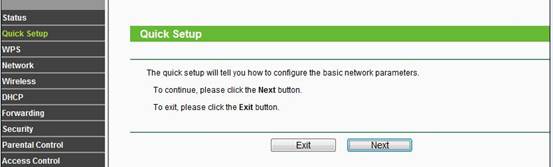
ไปที่ Quick Setup-> คลิก Next
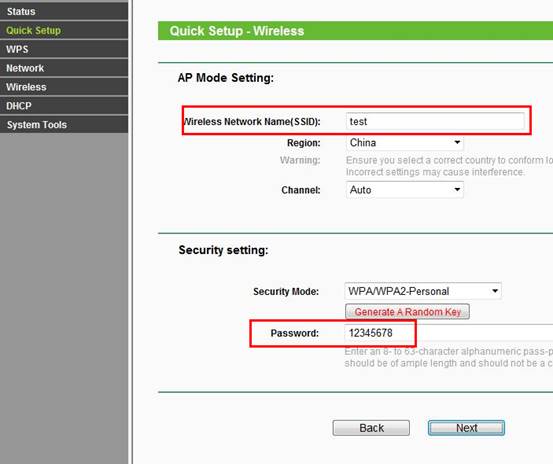
Wireless Radio: Enable
SSID: (Rename Your Wireless Name)
Region:(Select Your Current Location)
Channel: Auto
Mode: 11bgn mixed
Channel Width: Auto
Security Options: WPA-PSK/WPA2-PSK
PSK Password: (Create a Private Password)
Click Next
 FAQ for TL-MR3020.
Please refer to the last section of this FAQ for TL-MR3040.
If it doesn’t work, please feel free to contact us([email protected]).